Why is your browser your most important research tool?
If you are a researcher in 2026, your actual workspace is not a physical desk. It is a browser with too many tabs. You have Google Scholar in one, Overleaf in another, a spreadsheet of deadlines you stopped updating in March, a Notion board your lab set up but nobody maintains, and three arXiv tabs you have been meaning to read for two weeks. Each tool works fine on its own, but the constant switching between them is where your time quietly disappears. You lose five minutes here finding a BibTeX entry, ten minutes there checking if a deadline moved, another fifteen cross-referencing citations across two papers.
The good news is that Chrome extensions can patch a lot of these gaps without adding yet another standalone app to your stack. They live in your browser, work on the pages you already visit, and most of them require zero configuration. You install them and they just show up when you need them.
These are the eight extensions I have found most useful over the past few years of grad school. Some I use every day, some I use every week, but all of them have saved me real time. I have tried to be honest about where each one shines and where it falls short.
Which Chrome extensions should researchers install?

Zotero is the reference manager most academics eventually settle on, and the browser connector is what makes it practical. When you are on Google Scholar, PubMed, arXiv, or the ACM Digital Library, the connector adds a small icon to your toolbar. Click it, and the paper - metadata, abstract, and often the PDF itself - gets saved to your Zotero library. No copying, no pasting, no manual entry. It just works on most major publisher sites, and when it does not recognize a page, it falls back to saving a webpage snapshot.
- One-click save from Google Scholar, PubMed, arXiv, ACM DL
- Auto-downloads PDFs and attaches them to entries
- BibTeX export - syncs with Overleaf and LaTeX editors
- Group libraries - share collections with your lab
- Browser + desktop app - works across all your devices

Unpaywall solves one of the most common frustrations in research: hitting a paywall on a paper you need. The extension adds a small green padlock icon on publisher pages whenever it finds a legal open-access version of the paper somewhere else - usually an author's personal page, a university repository, or a preprint server. It indexes over 30 million papers and everything it links to is 100% legal. No shady PDF sites, no copyright violations. It just finds the copies that authors and institutions have already made publicly available.
- Green lock icon on publisher pages when OA version exists
- Links to repositories, preprint servers, and author pages
- 30M+ papers indexed - covers most major publishers
- 100% legal - only links to author-posted or OA copies
- Works on Google Scholar - green tab right in search results

Connected Papers takes a single paper and generates a visual graph of related work. Instead of reading through citation lists one by one, you get a spatial map where papers cluster by similarity and connect by citation relationships. The nodes are color-coded by publication year, so you can immediately see which clusters represent recent work and which are foundational. It is especially useful during the early stages of a literature review, when you are trying to understand the shape of a subfield rather than reading every paper in detail.
- Visual citation graph - see how papers relate at a glance
- Prior and derivative works - trace the evolution of ideas
- Export to BibTeX - add discoveries to your bibliography
- Works from any paper - paste a DOI or title to start
- Color-coded by year - instantly spot recent vs older work

This is the simplest extension on the list, and that is exactly why it is useful. Highlight any text on a page - a paper title in a references section, an author name, a concept - and click the Scholar button. It opens a small popup with Google Scholar results, right there on the page. No new tab, no navigating away from what you were reading. You can also grab BibTeX entries directly from the popup, which saves a surprising amount of time when you are building a bibliography from a related work section.
- Highlight + click - searches Scholar instantly
- Quick BibTeX copy - grab citations without leaving the page
- Library integration - connects to your university's full-text
- Recent searches - quick access to your last lookups
- Citation count visible - see impact without opening Scholar

Grammarly catches grammar mistakes, awkward phrasing, and unclear sentences as you type. For researchers, the key feature is that it works inside Overleaf. While it does not understand LaTeX commands, it does a reasonable job of checking the plain text of your sentences between the markup. It is particularly good at flagging passive voice overuse, which is the most common writing habit that makes academic prose harder to read than it needs to be. The free tier handles grammar and spelling. The paid tier adds tone detection and a plagiarism checker, which can be useful before submission.
- Works in Overleaf - catches errors as you write LaTeX
- Academic tone - keeps writing formal and precise
- Plagiarism checker (Pro) - scan before submission
- Browser-wide - also helps with emails and reviews
- AI rewrite suggestions - rephrase for clarity or conciseness

Semantic Scholar's browser extension adds an overlay when you visit a paper page on arXiv, ACM, IEEE, or most other publisher sites. The overlay shows an AI-generated TLDR summary, the paper's influential citations, and related work recommendations. The TLDR feature alone saves a lot of time during literature surveys - instead of reading every abstract, you can skim one-sentence summaries and quickly decide which papers are worth a deeper look. The "Highly Influential Citations" filter is particularly useful: it highlights the references that actually shaped subsequent research, rather than papers that were cited once in passing.
- TLDR summaries - one-sentence AI-generated abstracts
- Influential citations - highlights field-shaping references
- Research feeds - personalized paper recommendations
- 215M+ papers - one of the largest academic databases
- Citation context - see HOW a paper was cited, not just that it was

Hypothesis lets you annotate any webpage or PDF directly in your browser. Highlight a sentence, add a note, and it sticks to that exact location - even on arXiv preprints. Where it really comes into its own is with group annotations. If your lab has a weekly paper reading group, everyone can annotate the same paper and see each other's comments inline. It turns passive reading into a conversation. The threaded reply system means discussions can happen right next to the relevant paragraph, not in a separate Slack thread where context gets lost.
- Annotate PDFs in-browser - no downloading needed
- Group annotations - share with your lab or reading group
- Works on arXiv - annotate preprints directly
- Threaded replies - discuss specific passages inline
- Public or private - choose who sees your annotations

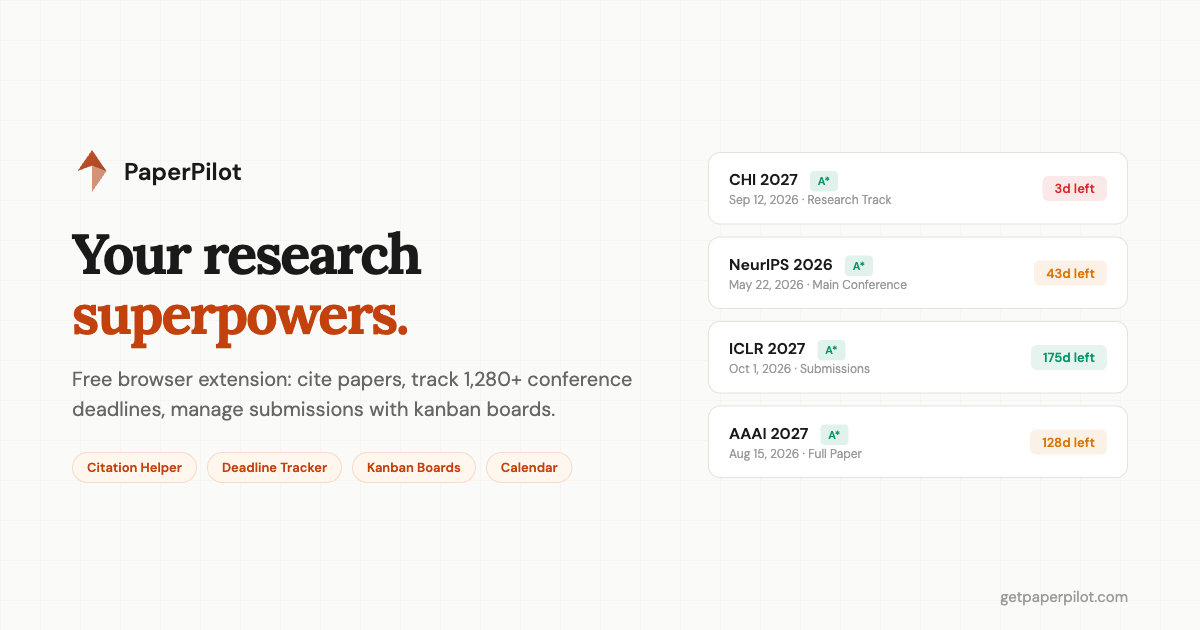
PaperPilot is the extension on this list that tries to handle the most: citations, deadlines, and project management, all from a side panel that sits next to your Overleaf editor. The citation helper is its strongest feature - you paste a BibTeX entry or search by title, click Cite, and it inserts both the citation key in your .tex file and the entry in your .bib file simultaneously. The deadline tracker covers 1,200+ conferences with live countdowns, filtering by field and rank, and one-click calendar export. The kanban boards are simple but effective for tracking a paper from early draft to camera-ready.
- Instant citations - paste BibTeX, click Cite, keys auto-inserted
- 1,200+ deadlines with live countdowns and urgency colors
- Kanban boards - track submissions from draft to camera-ready
- Side panel - zero tab switching, visible while you write
- Google Calendar export - .ics download for any deadline
How do I choose which extensions to install?
All eight of these extensions are free to use, or at least have a free tier that covers the core functionality. You do not need to install all of them at once. Start with the ones that address your biggest pain point. If you spend too much time hunting for PDFs, start with Unpaywall and Google Scholar Button. If your literature reviews take forever, try Connected Papers and Semantic Scholar. If your citation workflow in Overleaf feels clunky, Zotero Connector or PaperPilot will help immediately.
The best research workflow is the one where you spend most of your time actually reading and writing, not wrestling with logistics. These extensions will not write your paper for you, but they will claw back the hours you currently lose to context switching, manual data entry, and hunting for information across dozens of tabs. That time adds up.
If deadline tracking is what you need most, PaperPilot's tracker works in any browser without installing anything - you can try it right now. And if you want the full workflow (citations + deadlines + kanban) inside Overleaf, the extension is free on the Chrome Web Store.