What problem does PaperPilot solve for researchers?
If you write academic papers, you probably have a workflow that looks something like this: you write in Overleaf, search for references on Google Scholar or Semantic Scholar, copy BibTeX entries into a .bib file, track conference deadlines on aideadlin.es or a spreadsheet, manage your paper pipeline in Notion or Trello, and set calendar reminders so you do not miss abstract deadlines. Each of these tools does its job, but they never talk to each other. You end up with six browser tabs open, constantly switching context, and still occasionally discovering that a deadline passed two days ago because you forgot to update your calendar.
This problem is not unique to any one discipline or career stage. First-year PhD students trying to submit their first workshop paper face it. Senior researchers juggling five simultaneous submissions face it. The overhead of managing the research logistics toolchain is a tax that everyone pays, and nobody enjoys paying.
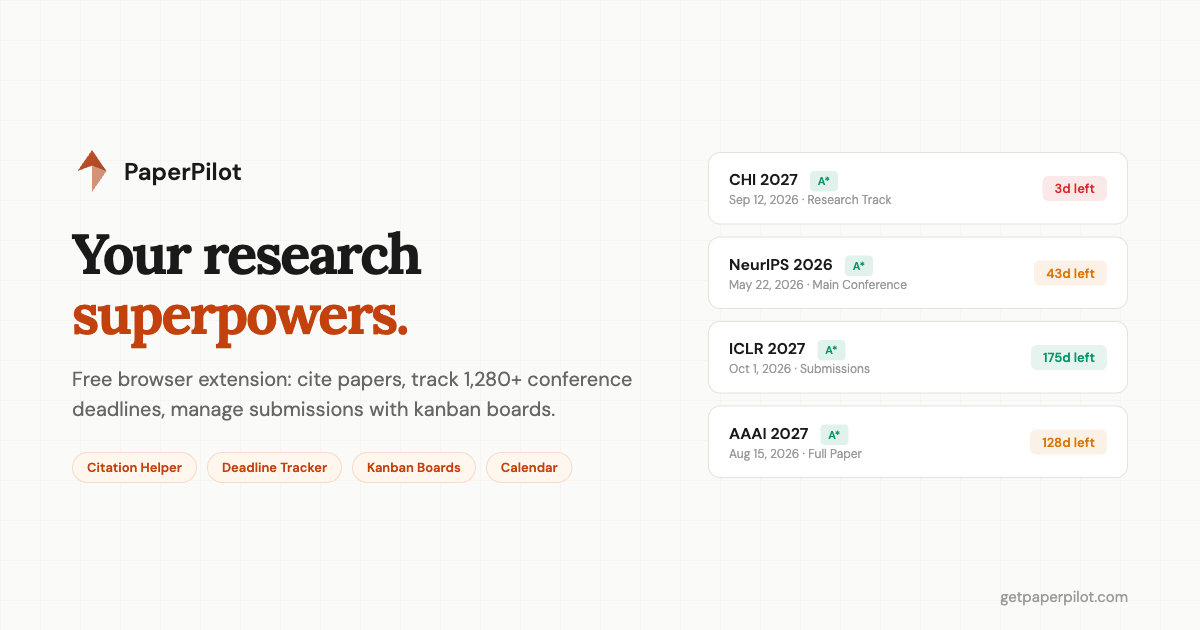
PaperPilot is a free browser extension that collapses this multi-tool workflow into a single side panel. It tracks over 1,280 conference deadlines with live countdowns, lets you search and insert citations directly inside Overleaf, and provides kanban boards and calendar views to manage your paper pipeline. Everything runs locally in your browser. There is no account to create, no server storing your data, and no pricing page to worry about.
How do I cite papers without leaving Overleaf?
The traditional citation workflow in Overleaf goes like this: you realize you need to cite a paper, open a new tab, search Google Scholar, find the paper, click "Cite," copy the BibTeX, switch back to Overleaf, open your .bib file, paste the entry, switch to your .tex file, type the citation key, and hope you did not introduce a typo. That is at least five context switches for a single citation, and if you are writing a related work section with thirty references, the cumulative friction is substantial.
PaperPilot's citation helper eliminates most of those steps. When you type \cite{ in your Overleaf editor, a popup appears in PaperPilot's side panel. You paste or search for a BibTeX entry, click "Cite," and the extension inserts the citation key into your .tex file and adds the BibTeX entry to your .bib file simultaneously. It handles multiple .bib files in the same project, detects duplicate entries before they cause compilation errors, and formats the keys consistently.
The real value here is not just saving a few seconds per citation. It is that you never leave the editor. Your train of thought stays intact. When you are deep in a paragraph explaining how your approach differs from prior work, the last thing you want is to break flow by hunting through Google Scholar tabs. The citation helper keeps you in writing mode.
How do I track 1,280+ conference deadlines?
PaperPilot's deadline tracker aggregates data from multiple open-source conference repositories and merges it with the official ICORE 2026 rankings. The result is a database of over 1,280 conferences covering AI, HCI, software engineering, systems, security, databases, theory, graphics, and interdisciplinary venues. Each conference with a known deadline gets a live countdown timer that ticks in real time, color-coded by urgency: green for plenty of time, amber for approaching, and red for imminent.
What makes this tracker different from alternatives like aideadlin.es or CCF Deadline is the depth of its filtering. You can filter by field (AI, HCI, SE, Systems, Security, and more), by ICORE ranking (A* through C, covering 987 ranked conferences), and by organizing body (ACM, IEEE, USENIX, AAAI, plus specific SIGs like SIGCHI, SIGPLAN, and SIGMOD). If you are an HCI researcher who primarily submits to A*-ranked ACM venues, you can set those three filters and see only the deadlines that matter to you.
Every deadline can be exported to Google Calendar with one click, or downloaded as an .ics file that works with Apple Calendar, Outlook, or any standards-compliant calendar application. The tracker also shows deadlines in your local timezone with an explicit timezone label, so there is no ambiguity about whether "11:59 PM" means Pacific time or AoE.
The web-based tracker at getpaperpilot.com/deadlines.html works in any browser, including Firefox and Safari. You do not need the browser extension to use it. But if you do install the extension, the same deadline data appears in your side panel, so you can glance at upcoming deadlines while writing without switching tabs.
How do I manage papers with kanban boards?
Deadlines tell you when something is due, but they do not tell you where each paper stands. Is the related work section drafted? Has your advisor reviewed the experiment design? Did anyone start on the rebuttal? These are project management questions, and researchers typically answer them with ad hoc Notion pages, shared Google Docs, or - most commonly - memory and hope.
PaperPilot includes a kanban board that organizes tasks into three columns: To Do, In Progress, and Done. You can create a separate board for each paper you are working on, and each board can be linked to a specific conference deadline. When you link a board to a deadline, the countdown appears at the top of the board, so you always see how much time remains while planning your tasks.
Tasks support drag-and-drop reordering between columns, and the system auto-categorizes them with tags based on common research activities (writing, experiments, review, figures, submission). The interface is intentionally simple. It is not trying to replace Jira or Linear. It is designed for the specific workflow of getting a paper from draft to submission, where you typically have five to fifteen tasks and one hard deadline.
How do I plan submissions with the calendar view?
The calendar view shows all your tracked deadlines in a traditional month grid, with each deadline color-coded by urgency. This gives you a spatial overview that the countdown list cannot provide. You can see at a glance that you have three deadlines in the same week, or that there is a gap in June where you could plan a new submission. The calendar distinguishes between paper deadlines and abstract deadlines, since many conferences require an abstract one to two weeks before the full paper, and missing the abstract deadline effectively means missing the paper deadline too.
The calendar integrates with your kanban boards, so tapping on a deadline shows you the associated board and its current task status. This connection between "when is it due" and "what still needs to be done" is what makes the calendar view more useful than a generic Google Calendar reminder.
Does PaperPilot work outside of Overleaf?
Although the citation helper is specifically designed for Overleaf, PaperPilot's side panel works on any webpage. You can open it while reading a paper on arXiv, while reviewing proceedings on the ACM Digital Library, or while browsing your email. Your kanban boards, deadline countdowns, and conference search are always one click away in the Chrome side panel.
This matters because research is not a single-tab activity. You read papers in one tab, search for related work in another, check conference requirements in a third, and write in a fourth. PaperPilot's side panel stays persistent across all of them, so your task list and deadlines travel with you as you move through your research workflow.
Is PaperPilot free? Does it collect my data?
PaperPilot is completely free, with no paid tiers, no trial periods, and no feature gates. There is no account to create and no email to hand over (unless you choose to join the waitlist for future updates). The extension runs entirely client-side, storing all your data in your browser's localStorage. Your paper titles, task lists, and deadline preferences never leave your machine.
There is no analytics or tracking built into the extension itself. No telemetry about what papers you are writing, what conferences you are targeting, or how you organize your tasks. This is a deliberate design choice. Researchers handle sensitive unpublished work, and the tooling around that work should respect the confidentiality of it.
The tradeoff of local-only storage is that your data does not sync across devices. If you use Chrome on your laptop and your office desktop, each instance of PaperPilot has its own data. This is a limitation we are aware of and plan to address in a future update with optional, encrypted sync.
How do I get started with PaperPilot?
PaperPilot is available now on the Chrome Web Store. Install it, open the side panel, and you are ready to go. There is no onboarding wizard, no setup, and no configuration required. Your deadlines load automatically, and you can start creating kanban boards immediately.
If you want to try the deadline tracker without installing anything, head to getpaperpilot.com/deadlines.html. It works in any browser and has the full filtering, search, and calendar export functionality.
We built PaperPilot because we wanted the tool to exist. The research community deserves software that understands the specific workflows of writing and submitting papers - not generic project management tools adapted from software engineering, and not deadline websites that show countdowns but do nothing about them. If you find it useful, share it with your lab group. And if you have feedback, reach out at hello@getpaperpilot.com.

PaperPilot
Research workflow - manage citations, deadlines, kanban